 Church Scan
Room-by-room LiDAR scans for church buildings
Church Scan is an iPhone app that scans a church building room by room with LiDAR, pins every exit and piece of safety equipment, and uploads the floors to Keyhall. There your staff get floor plans and evacuation maps to post, as SVG or PDF.
Needs an iPhone 12 Pro or newer Pro model, on iOS 17 or later.
Four steps from the first room to the upload
Each room saves on the phone as you go, so a building takes as many sittings as it needs.
- 1. Scan each room
Walk a room with LiDAR, then start the next one.
- 2. Pin exits and equipment
Tap a surface, then add a note or a photo.
- 3. Check the floor
Fix doors the scan left open.
- 4. Upload or share
Send it to Keyhall, or share the file.
Large room mode for sanctuaries
RoomPlan covers ordinary rooms. A space too big for it, like a sanctuary, is traced in Large room mode from the LiDAR mesh.
- Walk the edge
Move slowly and aim at the line along the wall base.
- Tap the corners
Tap the floor along the room's boundary, and undo a corner you missed.
- Save the room
It joins the floor with the rooms you scanned the usual way.
Church Scan suggests pins from signs
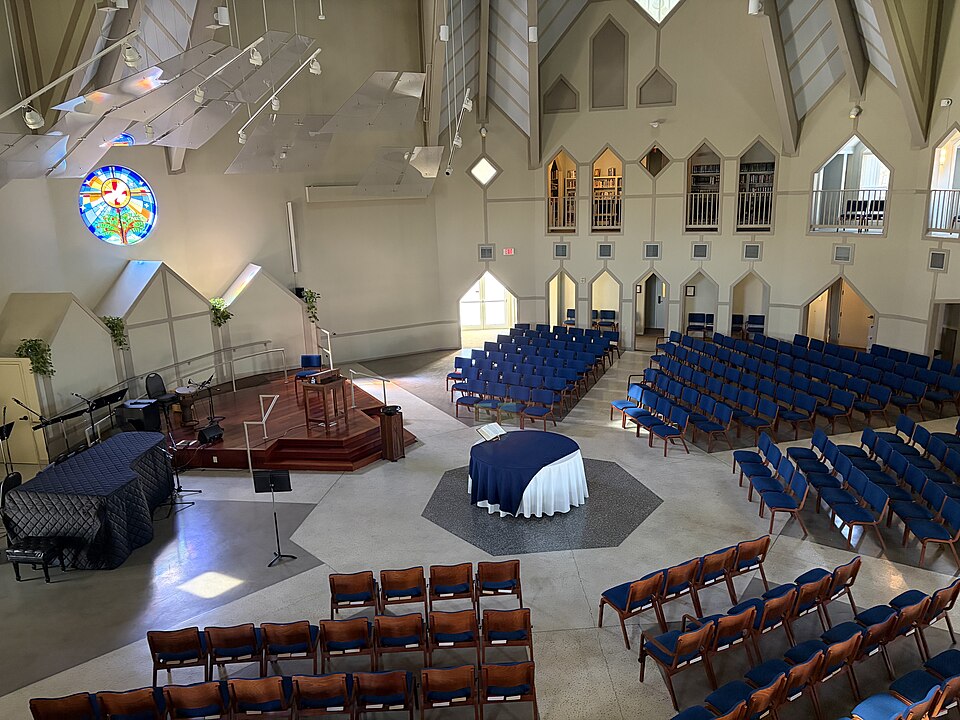
Church Scan reads EXIT and safety-equipment signs in your scan photos and suggests pins. Keep, change the type or dismiss each one.
- Exit
- Fire extinguisher
- Pull station
- AED
- First aid
- Electrical panel
- Gas shutoff
- Water shutoff
- Assembly point
- Other
Signs only add to your pins. Check every exit and piece of equipment yourself.
Church Scan checks the floor before upload
The floor check flags doors that lead to rooms you have not scanned and suggests which doors are outside doors.
- Amber door markers
Rings on the plan show every door to check.
- One-tap fixes
Mark an outside door or pin an exit from the list.
- Dismiss a door
Skip one you know is fine. A reminder shows before you upload.
Plans, maps and 3D rooms from one upload
Share the finished building as a .churchscan file, a ZIP, by AirDrop or Files. Or upload it straight to Keyhall, room and space rentals for churches.
Evacuation maps are guidance only. Check them with your local fire marshal before you post them.
On site
Scanning works offline. Every room saves on the phone and the floor merges in the background, so you can start the next room straight away and upload when you are back on a network.
For the people who look after the building
- Facilities and operations
Floor plans for facilities and insurance records.
- Safety teams
Exits and equipment marked where they are, for evacuation maps.
- Room rental admins
3D room models and plans for room listings.
- Churches on Keyhall
Upload straight from the scan.
What you need to scan
- iPhone
One with LiDAR: an iPhone 12 Pro or a newer Pro model.
- iOS
iOS 17 or later.
- Status
In development. Built and tested on an iPhone 14 Pro Max, and not on the App Store yet.
A phone without LiDAR gets a requirement screen and no scan to start.
Questions churches ask
Floor plans, LiDAR iPhones, evacuation maps and Keyhall, in plain answers.
How to make an evacuation floor plan
What is the easiest way to make a floor plan of our church building?
Walk the building with a LiDAR iPhone and Church Scan. Scan one room at a time, and the app merges the rooms into floors. Upload the floors to Keyhall, which draws the floor plans. A building can take as many sittings as it needs, because each room saves on the phone.
Is there an iPhone LiDAR app for scanning a church building room by room?
Yes, Church Scan. It scans ordinary rooms with Apple's RoomPlan, traces large rooms like a sanctuary from the LiDAR mesh, and lets you pin exits and safety equipment with notes and photos. It is in development and not on the App Store yet.
How can our church make evacuation maps for each room?
Scan each room with Church Scan and pin its exits, fire extinguishers, AEDs and other safety equipment. Upload the floors to Keyhall, which makes evacuation maps to post, as SVG or PDF. The maps are guidance only: check them with your local fire marshal.
Which iPhones have LiDAR?
The Pro and Pro Max models from iPhone 12 Pro on: iPhone 12 Pro, 13 Pro, 14 Pro, 15 Pro, 16 Pro and 17 Pro, and their Pro Max versions. Other iPhones, such as the standard, Plus, mini, SE and Air models, have no LiDAR. Church Scan needs iOS 17 or later.
What do you get from a scan?
A .churchscan file with every room, the merged floors, and the exit and equipment pins with their notes and photos. Keyhall turns it into floor plans, evacuation maps (SVG or PDF) and 3D models of each room for room listings.
How does Church Scan connect to Keyhall?
Keyhall is room and space rentals for churches. A church on Keyhall makes an upload token on its scans page, and Church Scan uploads the building straight to it. You can also share the .churchscan file by AirDrop or Files instead.
How much does Church Scan cost, and where can I get it?
Church Scan has no price yet. It is in development, built and tested on an iPhone 14 Pro Max, and not on the App Store yet. Email mattpritchett@hey.com to ask about it.